







Introduction
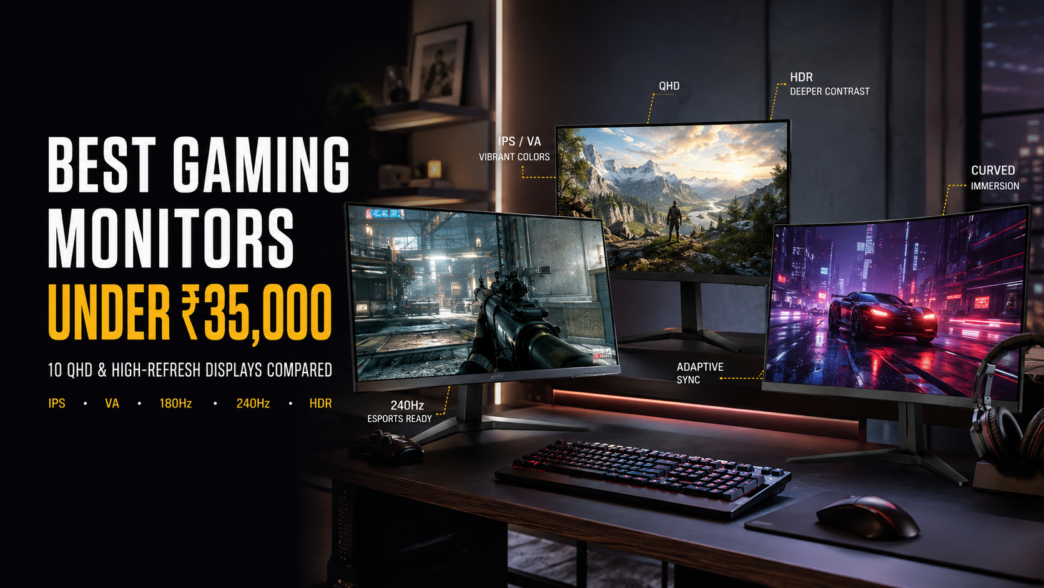
Buying a gaming monitor is a lot more complicated today than it was a few years ago. Every brand promises the fastest refresh rate, lowest response time and best gaming experience. On paper, most monitors look similar, but when you start comparing them side-by-side, the differences become much more obvious.
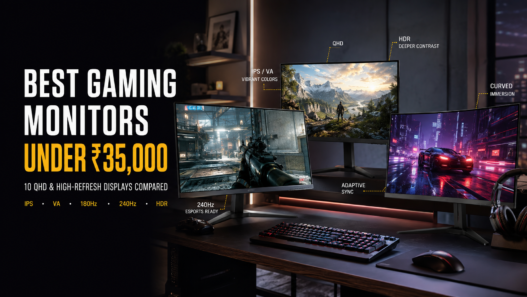
If your budget is around ₹35,000, you are actually sitting pretty. In this segment, you can find great monitors with QHD resolution, high refresh rates, Adaptive Sync support and IPS or Fast VA panels. Whether you’re into competitive games like Valorant and Counter-Strike 2 or story-driven titles such as Cyberpunk 2077, there are plenty of options that can significantly improve your gaming experience.
That said, picking the right monitor isn’t just about buying the one with the highest refresh rate. A 240Hz monitor sounds impressive, but if it compromises image quality or isn’t suited to your gaming setup, it may not be the best option. Most gamers will find that a decent all-rounder monitor with nice colours, a quick refresh rate, and decent build quality will generally give a better overall experience.
We have done the homework for you and shortlisted the best gaming monitors under ₹35,000 in India. Other than gaming performance, we also considered display quality, colour accuracy, connectivity, ergonomics and overall user experience.
How We Chose These Monitors
Instead of picking monitors based only on specifications, we looked at what actually matters during gaming.
- Real-world gaming performance
- Refresh rate and response time
- Display quality
- Colour accuracy
- HDR support
- Adaptive Sync compatibility
- Build quality
- Connectivity
- Value for money
- Availability in India
1. LG UltraGear 27GS75Q-B – Best Overall Gaming Monitor Under ₹35,000 Official product page
Approx. Price: ₹25,000–₹28,000 approx.
If I had to pick one monitor from this list for most gamers, the LG UltraGear 27GS75Q-B would be near the top of my list. The 27-inch QHD screen gives you a clear step up from Full HD without demanding as much from your graphics card as 4K. The 180Hz refresh rate keeps fast games looking smooth, while the IPS panel also makes the monitor useful for movies, browsing and regular work. It is a sensible choice if you want speed and picture quality without pushing your budget to the limit.
Key Specifications
| Specification | Details |
| Screen Size | 27-inch |
| Resolution | 2560 × 1440 (QHD) |
| Panel Type | IPS |
| Refresh Rate | 180Hz |
| Response Time | 1ms (GtG) |
| Adaptive Sync | AMD FreeSync |
| HDR | HDR10 |
| Ports | HDMI, DisplayPort |
| VESA Mount | Yes |
Pros & Cons
| Pros | Cons |
| • Sharp QHD picture | • HDR performance is basic |
| • Smooth 180Hz refresh rate | • No built-in speakers |
| • Good IPS viewing angles | |
| • Strong value for money |
2. MSI G274QPX – Best for Competitive Gaming Official product page
Approx. Price: ₹32,000–₹35,000 approx.
The MSI G274QPX is aimed at gamers who care about speed, especially in competitive shooters. Its 240Hz refresh rate makes quick camera movements and target tracking feel noticeably smoother when your PC can produce high frame rates. The Rapid IPS panel is also a nice advantage because you get the fast response expected from an esports monitor without giving up decent colour and viewing angles. For normal work, browsing and video editing, it remains a capable 27-inch QHD display.
Key Specifications
| Specification | Details |
| Screen Size | 27-inch |
| Resolution | 2560 × 1440 (QHD) |
| Panel Type | Rapid IPS |
| Refresh Rate | 240Hz |
| Response Time | 1ms (GtG) |
| Adaptive Sync | AMD FreeSync Premium |
| HDR | DisplayHDR 400 |
| Ports | 2 × HDMI, DisplayPort, USB-C |
| VESA Mount | Yes |
Pros & Cons
| Pros | Cons |
| • Very smooth 240Hz gameplay | • Costs close to the budget limit |
| • Good motion clarity | • A powerful GPU is needed to take full advantage of 240Hz |
| • QHD resolution | |
| • Strong IPS colour performance |
3. Gigabyte GS27Q X – Best Value 240Hz Gaming Monitor Official product page
Approx. Price: ₹30,000–₹34,000 approx.
The Gigabyte GS27Q X makes a lot of sense if you want 240Hz gaming without moving into much more expensive territory. Its QHD resolution keeps games sharp, while the SuperSpeed IPS panel gives you the speed needed for fast multiplayer titles. It also has a fairly understated design, so it does not look out of place if the same desk is used for work. The main reason to buy it is simple: you get a very fast refresh rate and QHD resolution in one package.
Key Specifications
| Specification | Details |
| Screen Size | 27-inch |
| Resolution | 2560 × 1440 (QHD) |
| Panel Type | SuperSpeed IPS |
| Refresh Rate | 240Hz |
| Response Time | 1ms |
| Adaptive Sync | AMD FreeSync |
| HDR | HDR support |
| Ports | 2 × HDMI, DisplayPort |
| VESA Mount | Yes |
Pros & Cons
| Pros | Cons |
| • 240Hz at a competitive price | • HDR is not its strongest feature |
| • Sharp QHD display | • No built-in speakers |
| • Fast IPS panel | |
| • Clean design |
4. Samsung Odyssey G5 – Best Curved Gaming Monitor Official product page
Approx. Price: ₹26,000–₹30,000 approx.
The Samsung Odyssey G5 takes a different approach from the fast IPS monitors on this list. Its curved VA panel is built more around immersion, making it a good fit for open-world, racing and story-driven games. The 1000R curve pulls the edges of the display closer to your field of view, while the VA panel delivers the deeper blacks and stronger contrast that can make dark scenes look more convincing. If you prefer cinematic games over competitive esports, this is an easy monitor to consider.
Key Specifications
| Specification | Details |
| Screen Size | 27-inch |
| Resolution | 2560 × 1440 (QHD) |
| Panel Type | Curved VA |
| Refresh Rate | 165Hz |
| Response Time | 1ms |
| Adaptive Sync | AMD FreeSync Premium |
| Curve | 1000R |
| Ports | HDMI, DisplayPort |
| VESA Mount | Yes |
Pros & Cons
| Pros | Cons |
| • Immersive 1000R curve | • Viewing angles are narrower than IPS |
| • Strong contrast and deep blacks | • The curved screen may not suit everyone for office work |
| • Smooth 165Hz refresh rate | |
| • Good choice for story and racing games |
5. ASUS TUF Gaming VG27AQ3A – Best All-Round Gaming Monitor Official product page
Approx. Price: ₹24,000–₹28,000 approx.
The ASUS TUF Gaming VG27AQ3A is a good middle-ground option for people who use their monitor for more than gaming. The Fast IPS panel gives you good colours and wide viewing angles, while the 180Hz refresh rate keeps games feeling responsive. ASUS also includes ELMB Sync, which is useful for reducing motion blur during fast movement. If the monitor will sit on a desk that handles gaming, work and entertainment, this balanced approach makes sense.
Key Specifications
| Specification | Details |
| Screen Size | 27-inch |
| Resolution | 2560 × 1440 (QHD) |
| Panel Type | Fast IPS |
| Refresh Rate | 180Hz |
| Response Time | 1ms |
| Adaptive Sync | AMD FreeSync / G-SYNC Compatible |
| Motion Technology | ELMB Sync |
| Ports | 2 × HDMI, DisplayPort |
| VESA Mount | Yes |
Pros & Cons
| Pros | Cons |
| • Good balance of speed and image quality | • HDR performance is limited |
| • Fast IPS panel | • Stand and connectivity can vary by region/variant |
| • 180Hz refresh rate | |
| • Useful motion-reduction features |
6. Acer Nitro XV272U V3 – Best Budget QHD Gaming Monitor Official product page
Approx. Price: ₹22,000–₹26,000 approx.
The Acer Nitro XV272U V3 is worth considering if you want QHD gaming while keeping a good amount of money in your pocket. The 180Hz refresh rate makes fast movement look much smoother than a standard 60Hz display, which is useful in shooters and racing games. Its IPS panel also keeps colours looking lively, and the QHD resolution gives text and game details a cleaner look. For a buyer who wants a fast gaming monitor without spending the full ₹35,000, it offers a sensible mix of features.
Key Specifications
| Specification | Details |
| Screen Size | 27-inch |
| Resolution | 2560 × 1440 (QHD) |
| Panel Type | IPS |
| Refresh Rate | 180Hz |
| Response Time | 1ms |
| Adaptive Sync | AMD FreeSync |
| HDR | HDR support |
| Ports | HDMI, DisplayPort |
| VESA Mount | Yes |
Pros & Cons
| Pros | Cons |
| • Good price for QHD and 180Hz | • HDR is basic |
| • Sharp IPS display | • No built-in speakers |
| • Smooth gaming performance | |
| • Useful for everyday work too |
7. BenQ MOBIUZ EX271Q – Best for Immersive Gaming Official product page
Approx. Price: ₹29,000–₹33,000 approx.
The BenQ MOBIUZ EX271Q is aimed at gamers who want more than just a high refresh-rate number. It focuses on picture quality, sound and overall comfort, which makes it particularly appealing for story games and long gaming sessions. The 27-inch QHD IPS panel provides plenty of detail, while the 180Hz refresh rate means you can still play competitive titles without feeling held back. Its built-in audio is also handy if you do not want separate speakers on your desk.
Key Specifications
| Specification | Details |
| Screen Size | 27-inch |
| Resolution | 2560 × 1440 (QHD) |
| Panel Type | IPS |
| Refresh Rate | 180Hz |
| Response Time | 1ms |
| Adaptive Sync | AMD FreeSync Premium |
| HDR | HDRi / HDR support |
| Ports | HDMI, DisplayPort, USB |
| Speakers | Built-in |
| VESA Mount | Yes |
Pros & Cons
| Pros | Cons |
| • Strong picture quality | • Usually costs more than basic 180Hz options |
| • Useful built-in speakers | • HDRi is not the same as full high-end HDR |
| • Smooth 180Hz refresh rate | |
| • Good overall design |
8. MSI MAG 274QRF QD E2 – Best for Gaming and Colour Work Official product page
Approx. Price: ₹33,000–₹35,000 approx.
The MSI MAG 274QRF QD E2 is one of the more interesting choices here if gaming is only half of what you do. Its Quantum Dot IPS panel is designed to deliver a wide, vibrant colour range, so it works nicely for games as well as photo, video and design work. The 180Hz refresh rate keeps gameplay fast, and USB-C adds useful flexibility for modern laptops. It is near the top of the budget, but the extra features make more sense if you will actually use them.
Key Specifications
| Specification | Details |
| Screen Size | 27-inch |
| Resolution | 2560 × 1440 (QHD) |
| Panel Type | Rapid IPS with Quantum Dot |
| Refresh Rate | 180Hz |
| Response Time | 1ms |
| Adaptive Sync | Adaptive-Sync |
| HDR | DisplayHDR 400 |
| Ports | HDMI, DisplayPort, USB-C |
| VESA Mount | Yes |
Pros & Cons
| Pros | Cons |
| • Wide and vibrant colour range | • Often near the ₹35,000 ceiling |
| • Sharp QHD display | • HDR is useful but not comparable with OLED HDR |
| • 180Hz gaming performance | |
| • USB-C connectivity |
9. AOC Q27G4F – Best Budget Fast IPS Gaming Monitor Official product page
Approx. Price: ₹21,000–₹25,000 approx.
AOC is not the first brand everyone thinks of when shopping for a gaming monitor, but the Q27G4F deserves a look if value is your priority. It combines a QHD resolution with a fast IPS panel and a high refresh rate, giving you the basics needed for smooth PC gaming without a premium price. The simple design also works well outside a gaming setup. If you would rather spend less on the monitor and put more money into your graphics card, this kind of balance can be attractive.
Key Specifications
| Specification | Details |
| Screen Size | 27-inch |
| Resolution | 2560 × 1440 (QHD) |
| Panel Type | Fast IPS |
| Refresh Rate | 180Hz |
| Response Time | 1ms |
| Adaptive Sync | Adaptive-Sync |
| HDR | HDR support |
| Ports | HDMI, DisplayPort |
| VESA Mount | Yes |
Pros & Cons
| Pros | Cons |
| • Strong value for money | • Stand adjustment is limited |
| • Fast IPS panel | • HDR is not a major strength |
| • QHD resolution | |
| • Smooth 180Hz refresh rate |
10. Gigabyte M27QA ICE – Editor’s Choice Official product page
Approx. Price: ₹32,000–₹35,000 approx.
The Gigabyte M27QA ICE is the kind of monitor that makes sense when gaming is not the only thing you do on your PC. Along with a sharp QHD IPS display and 180Hz refresh rate, it brings useful features for a mixed setup, including USB connectivity and a KVM switch. That lets you control compatible devices from one keyboard and mouse, which can be handy if you switch between a desktop and laptop. The white finish also gives it a different look from the usual black gaming monitors.
Key Specifications
| Specification | Details |
| Screen Size | 27-inch |
| Resolution | 2560 × 1440 (QHD) |
| Panel Type | SuperSpeed IPS |
| Refresh Rate | 180Hz |
| Response Time | 1ms |
| Adaptive Sync | AMD FreeSync |
| HDR | HDR support |
| Ports | HDMI, DisplayPort, USB-C |
| KVM | Yes |
| VESA Mount | Yes |
Pros & Cons
| Pros | Cons |
| • Strong all-round performance | • Usually close to the ₹35,000 limit |
| • Sharp and colourful display | • White finish will not suit every setup |
| • Useful KVM feature | |
| • USB-C connectivity |
Buying Guide: How to Pick the Right Gaming Monitor
Resolution
If your PC is equipped with a mid-range or high-end graphics card, a QHD (2560 × 1440) monitor is the best compromise between image quality and gaming performance. Full HD is still fine for budget builds, but QHD is noticeably sharper on a 27-inch screen.
Refresh Rate
A higher refresh rate makes gameplay smoother. 144Hz is enough for most gamers, 165Hz–180Hz is a strong choice for competitive gaming, and 240Hz makes the most sense for esports players with a powerful PC that can push high frame rates.
Panel Type
IPS panels generally give better colours and viewing angles. VA panels offer darker blacks and stronger contrast. OLED delivers excellent picture quality, but OLED gaming monitors are usually outside this budget.
Adaptive Sync
Look for AMD FreeSync or NVIDIA G-SYNC Compatible support. These technologies help reduce screen tearing and can make gameplay look smoother when your frame rate changes.
Ports
Check the ports before buying. Most gaming monitors include HDMI and DisplayPort, while USB-C can be useful if you also connect a modern laptop. Extra USB ports and a KVM switch are useful for multi-device setups.
Frequently Asked Questions
Is a 27-inch monitor good for gaming?
Yes. For QHD gaming, 27 inches is a sweet spot because it gives you sharp visuals without taking over your desk.
Is 165Hz good enough in 2026?
Yes. Most players will be perfectly happy with 165Hz or 180Hz. 240Hz is more useful for serious esports players with hardware that can deliver very high frame rates.
IPS or VA—which one is better?
If you care about colour accuracy and viewing angles, IPS is usually the better choice. VA is attractive for movies and story games because it offers stronger contrast and deeper blacks.
Is QHD worth getting?
Yes. QHD is noticeably sharper than Full HD on a 27-inch monitor, especially for small text and detailed game scenes.
Do I need HDR for gaming?
HDR is a useful bonus, but it should not be the main reason to buy a monitor in this price range. Look at the panel, refresh rate, response time and overall image quality first.
Final Verdict
If you want a balanced gaming monitor under ₹35,000, the LG UltraGear 27GS75Q-B is one of the easiest options to recommend. Its QHD IPS panel and 180Hz refresh rate give you a strong mix of sharpness, smoothness and everyday usability. Competitive players who can take advantage of very high frame rates should look at the MSI G274QPX or Gigabyte GS27Q X for their 240Hz refresh rates. For immersive single-player gaming, the Samsung Odyssey G5 is an interesting curved VA option, while the ASUS TUF Gaming VG27AQ3A is a sensible all-rounder. If gaming is only part of your workload, the MSI MAG 274QRF QD E2 and Gigabyte M27QA ICE are worth considering for their stronger connectivity and colour-focused features.
Prices can change with sales and stock, so check the exact model and current seller price before ordering. More importantly, choose based on your graphics card and the games you actually play rather than simply buying the monitor with the biggest refresh-rate number.